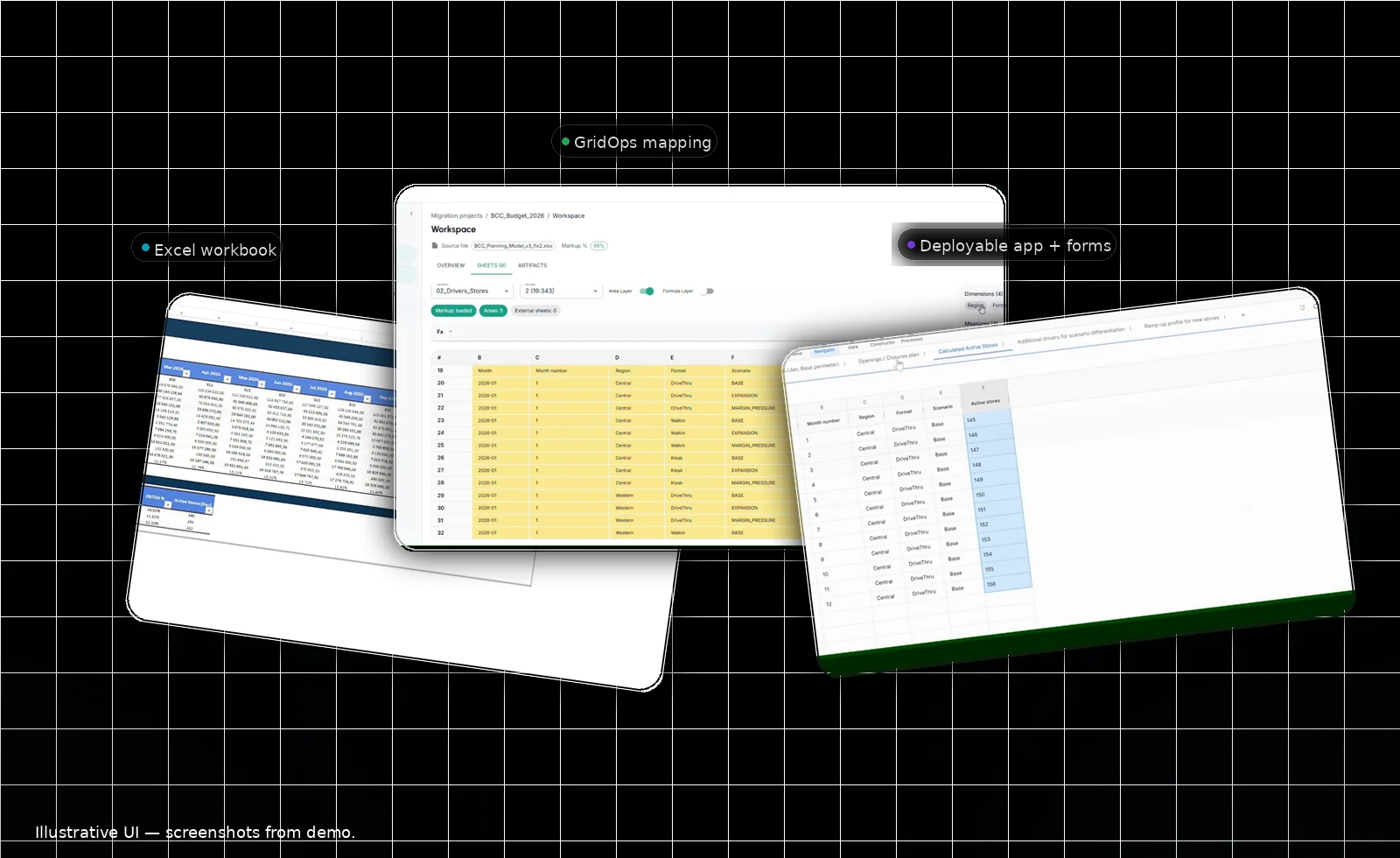
GridOps extracts structure and logic from real-world spreadsheets, helps you map it to dimensions, and generates a deployable model + input forms you can iterate on.
* Based on internal testing on complex enterprise Excel models. Results vary by model complexity and target environment.
WHY IT EXISTS
Spreadsheets are flexible, but large planning models become fragile and expensive. The problem isn't "Excel vs software" — it's that delivery doesn't scale when every model is rebuilt by hand.
Small edits cascade into broken links, retesting, and new "final" versions.
When the spreadsheet owner leaves, the model becomes a black box.
Audits, approvals, and "what changed?" turn into manual detective work.
HOW IT WORKS
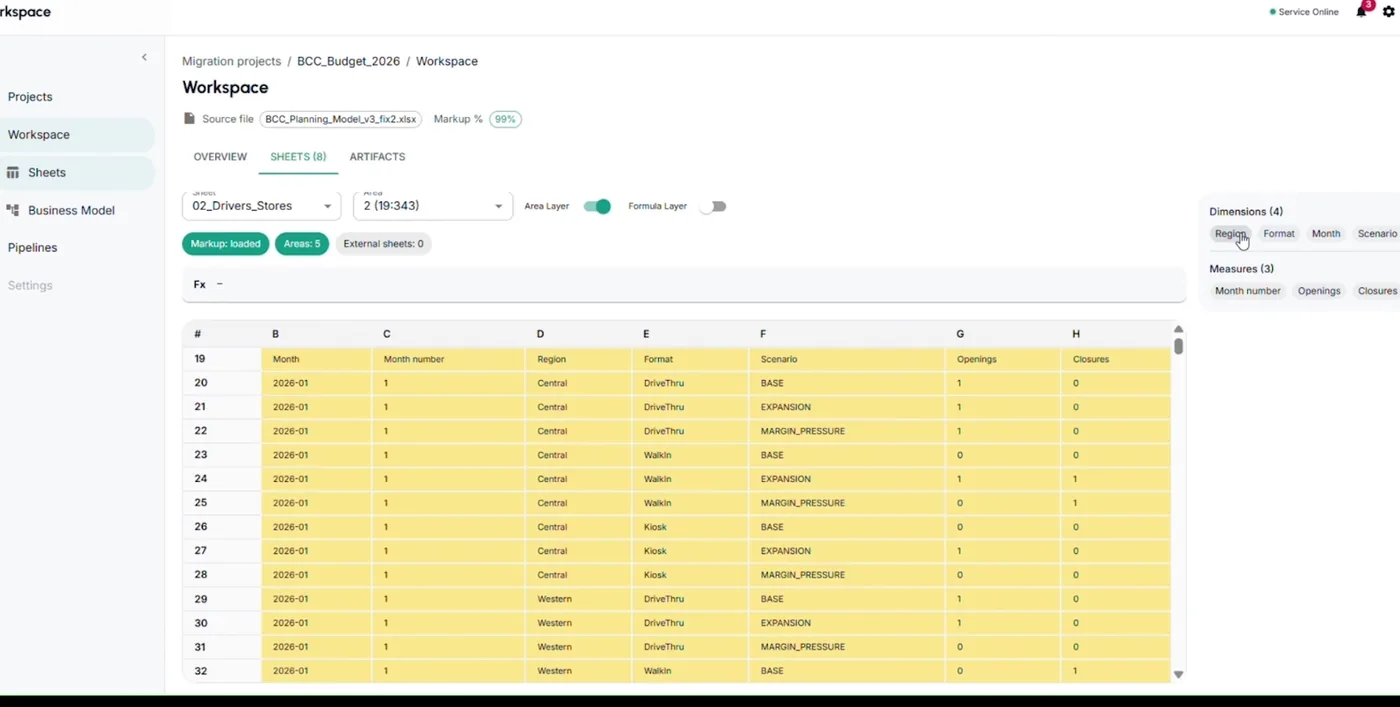
GridOps extracts model anatomy (inputs, assumptions, calcs, outputs), guides dimension mapping, flags risks, and generates a deployable model + input forms you can iterate on.
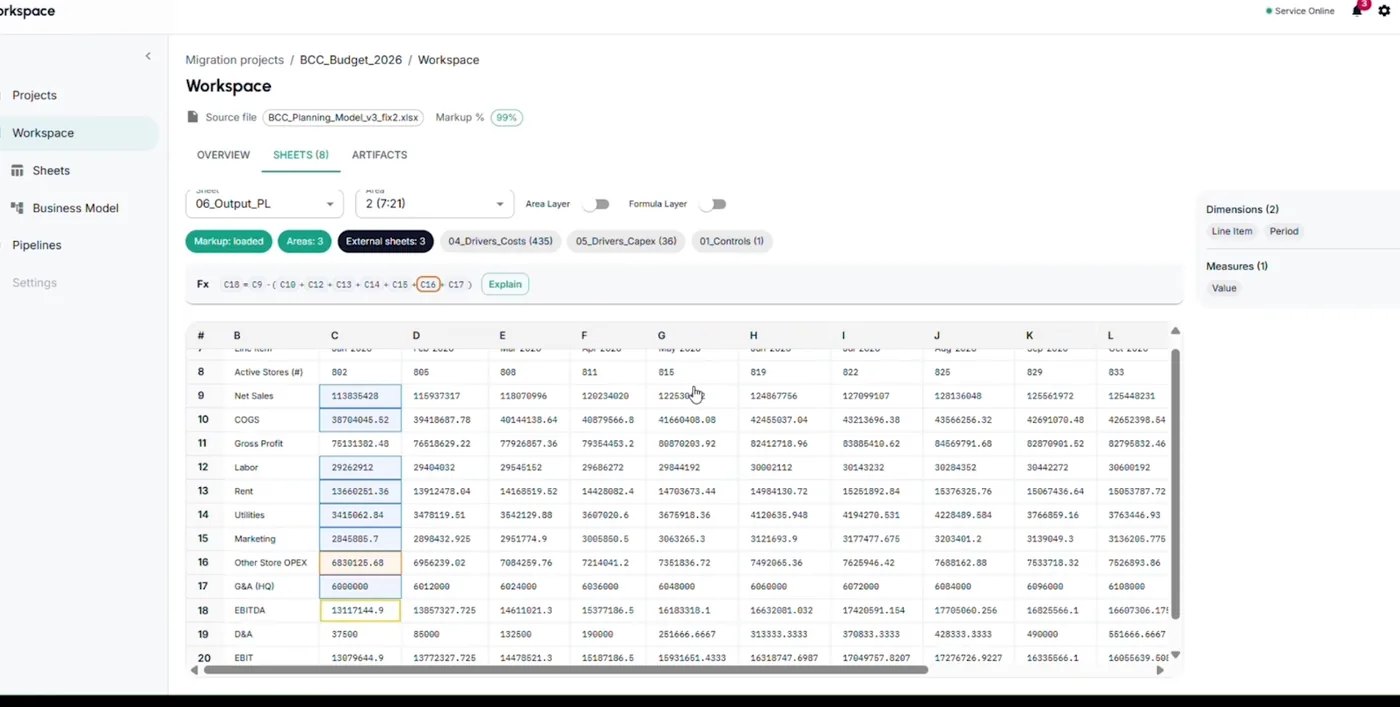
Drop your .xlsx file. GridOps parses structure, formulas, named ranges, and cross-sheet references.
Entity / Period / Scenario / Drivers — make implicit conventions explicit and consistent.
Surface circular refs, hardcoded constants, and inconsistent ranges before they become bugs.
Model structure + input forms + validations — a deployable artifact, not a screenshot or PDF export.
* Internal benchmarks show up to 50-100x less build effort on complex spreadsheets. Results depend on workbook structure and target environment.
USE CASES
Concrete examples of what teams convert with GridOps.
Typical Excel: 10-30 tabs, monthly horizon, scenarios, rollups. Output: Entity/Period/Scenario model + driver input form + consistent outputs.
Typical Excel: headcount, comp assumptions, allocations by org. Output: controlled inputs per owner + allocation logic + consolidated totals.
Typical Excel: conversion rates, ramp curves, scenarios. Output: assumptions form + scenario compare + standardized driver tables.
Typical Excel: multi-step allocations with fragile cross-tab links. Output: explicit driver tables + checks (balances, totals, exceptions).
Typical Excel: project lists, phasing, approvals, rollups. Output: project inputs + phasing rules + consolidated plan by period/entity.
Turn spreadsheet implementation into a repeatable delivery playbook. Less custom rebuild, more standardized mapping + output packages.
PRODUCT
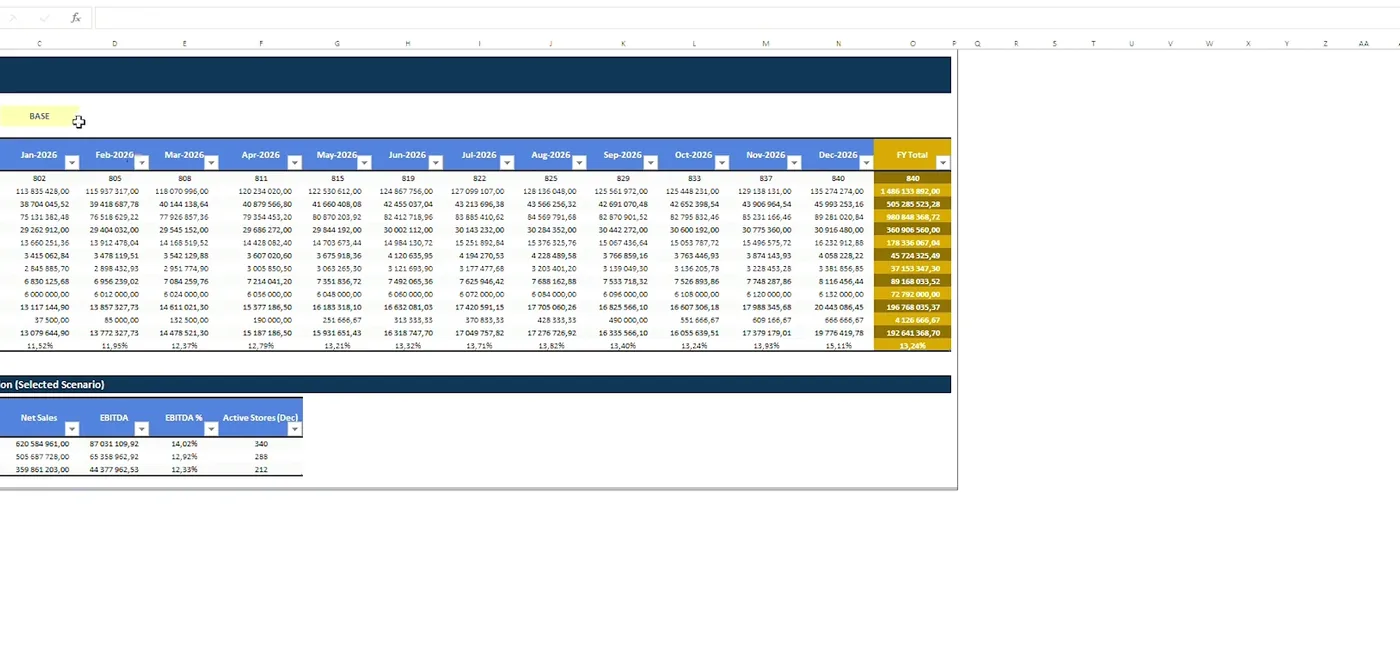
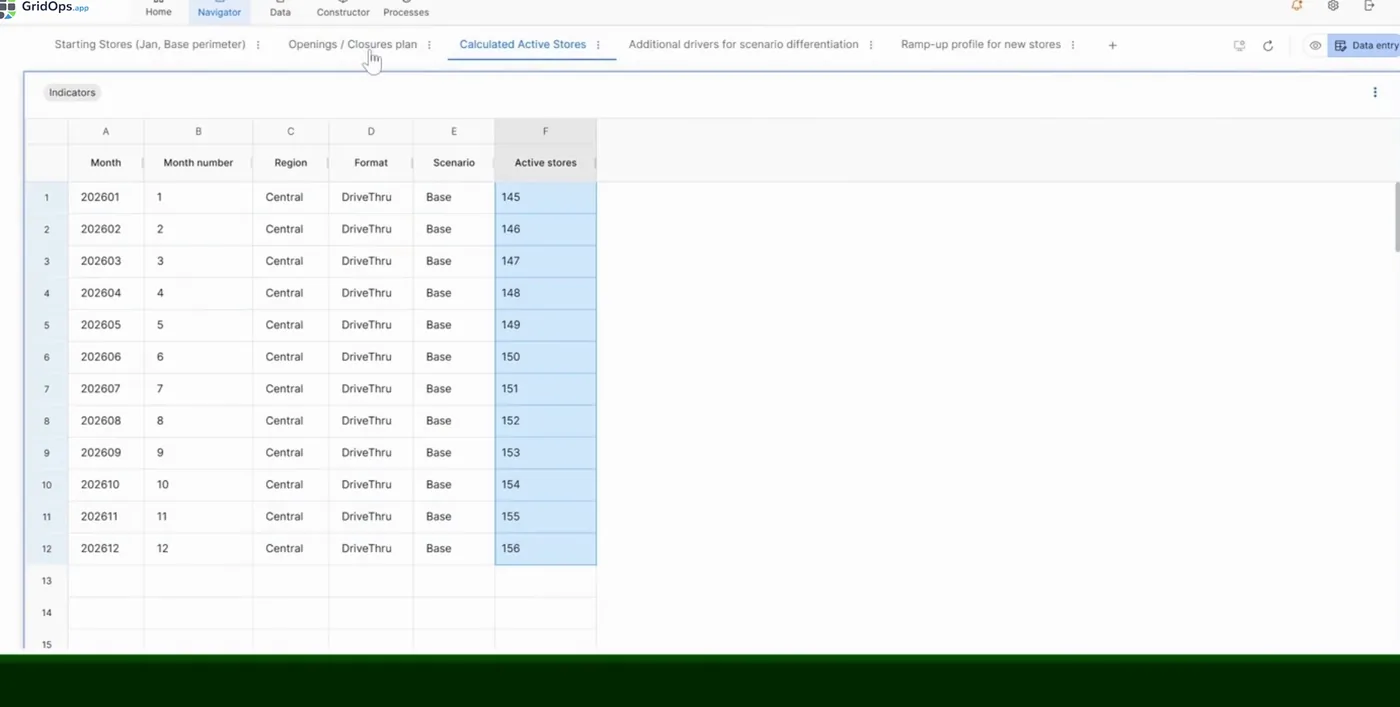
Screenshots below are from the current demo flow.
EXAMPLES
Three patterns GridOps converts especially well — budgeting, revenue planning, and workforce planning.
Monthly plan with scenarios, rollups, and heavy lookups across tabs.
Ramp curves, churn/expansion, scenario switches, and time-based logic.
Comp assumptions, start dates, allocations, and consolidation across owners.
FAQ
No. Excel stays the source. GridOps converts it into explicit structure + deployable artifacts you can iterate on.
Planning models with structure: time series, drivers, assumptions blocks, rollups, scenarios. We can assess your workbook quickly and tell you what converts cleanly.
GridOps extracts structure and logic. Some Excel-specific constructs may require adaptation depending on your conventions and target environment.
It depends on the workbook. Internal testing on complex enterprise models shows up to 50-100x less build effort vs manual rebuild — results vary.
TRY IT ON YOUR SPREADSHEET
You'll get a clear answer: what converts cleanly, what needs adjustment, and what the output looks like.
We don't need your entire planning universe to start — one "big" spreadsheet is enough.
We typically respond within 1-2 business days. If you share a workbook, we treat it as confidential.